To help Ada evolve from NLU chatbot to LLM-powered AI Agent, I designed Actions (how it calls APIs) and co-led design on Rules (guardrails on tool use) — enabling Ada to lauch the first AI Agent for CX in Fall 2023.
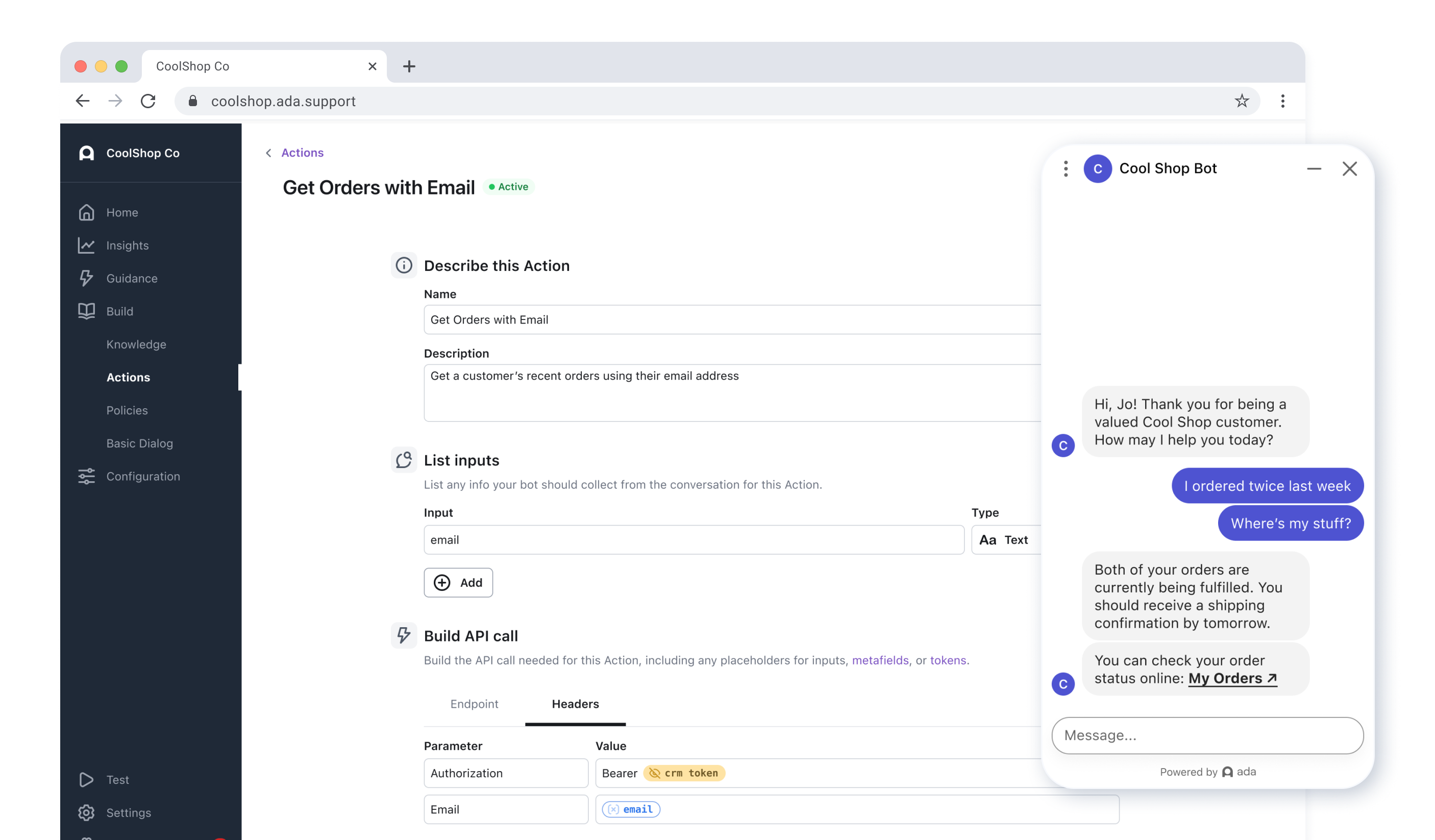
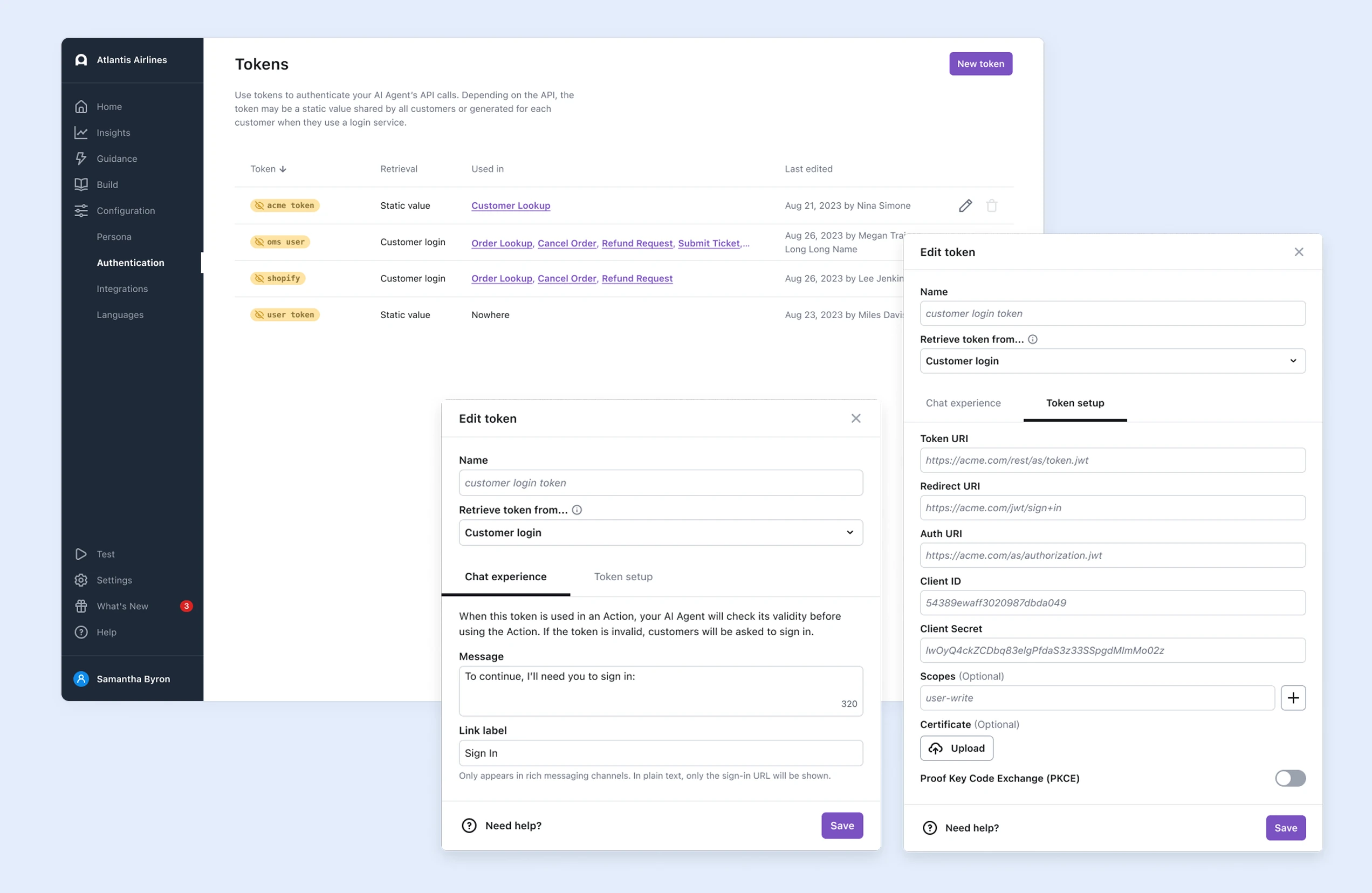
The Actions builder lets a non-technical user describe an Action in plain English, then structure a real authenticated API call — inserting inputs and metavariables inline, no code required.
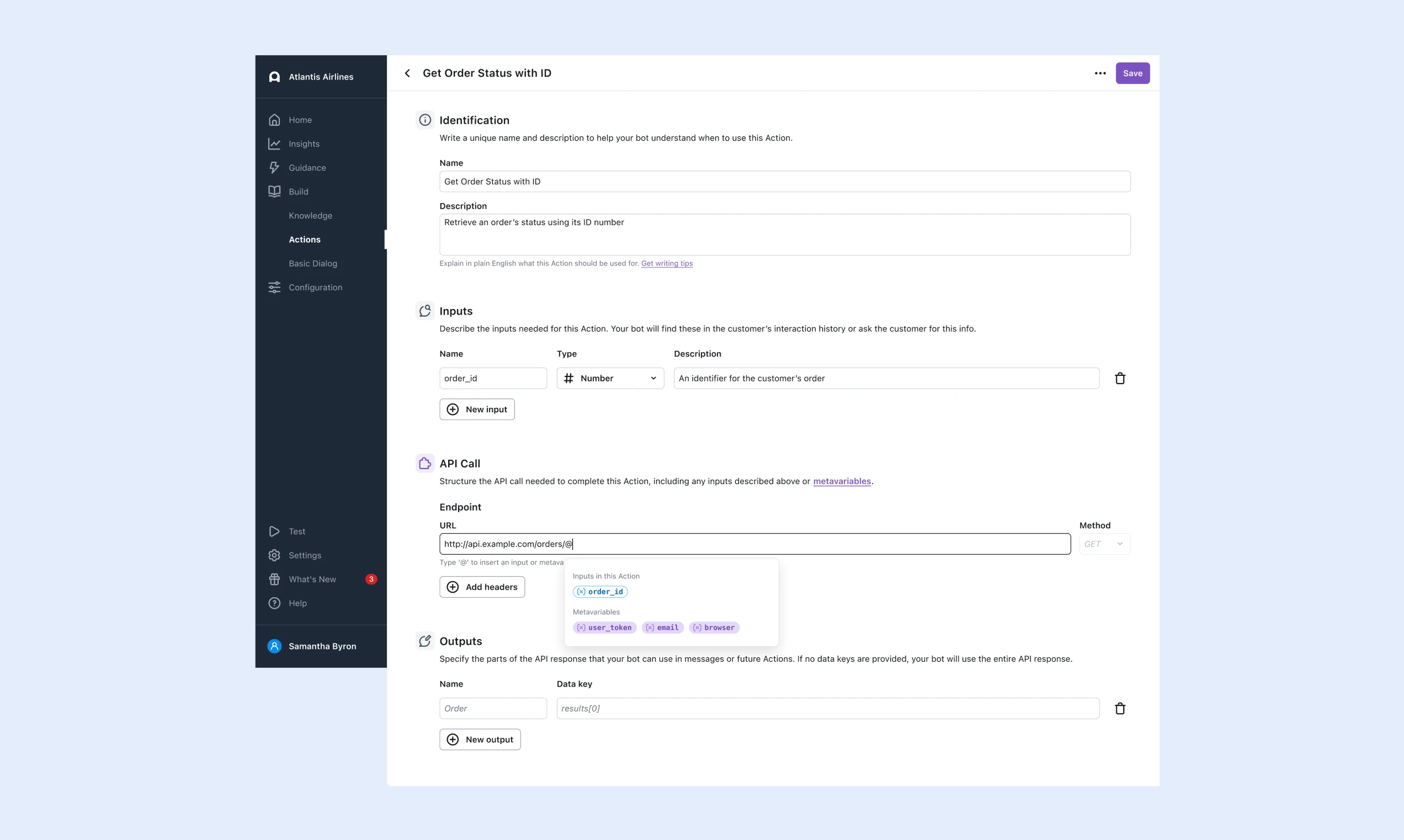
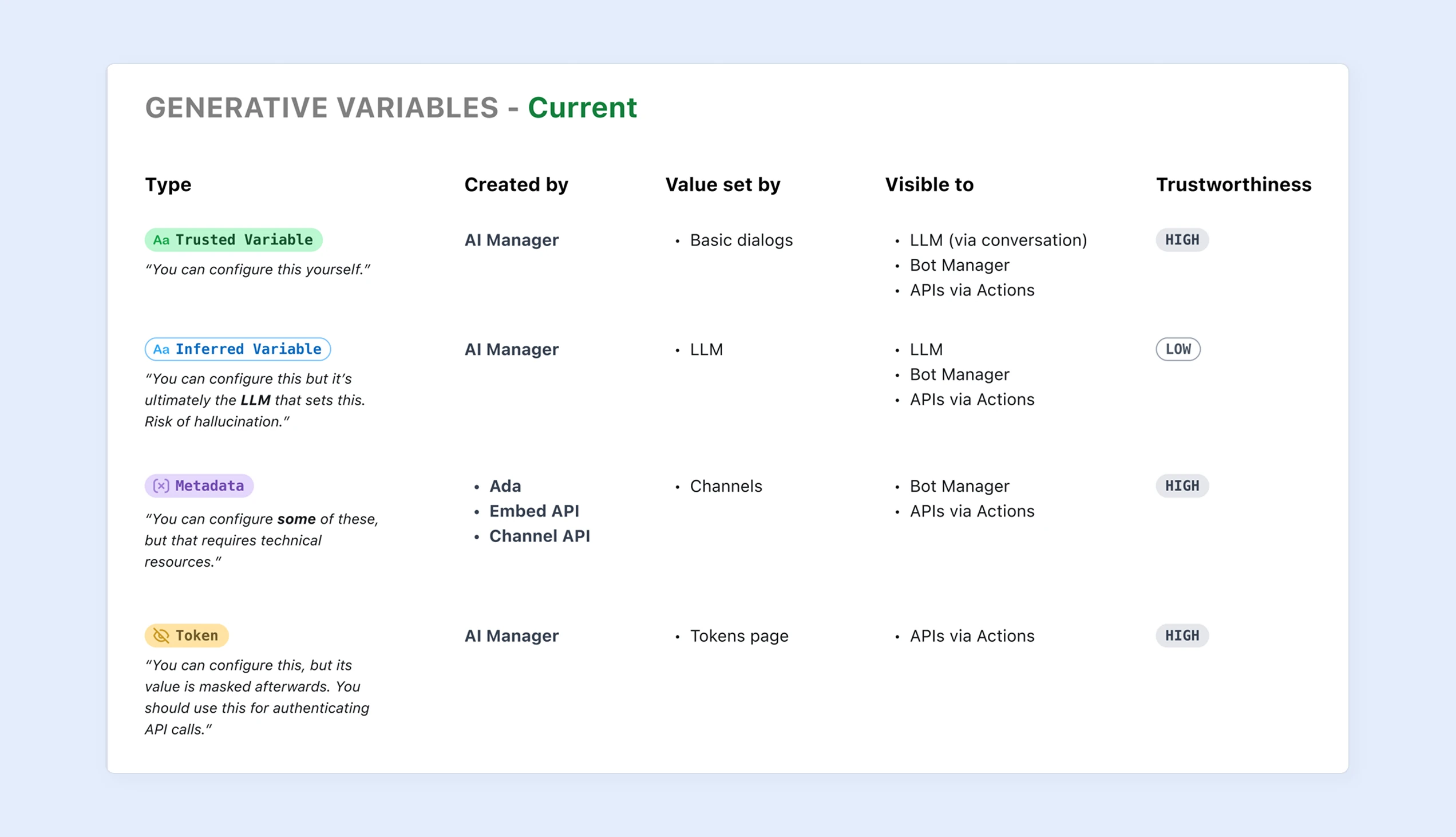
The LLM decides when to act, but it can never edit endpoints, tokens, or input/output values. Safety is built into the architecture, not left to configuration. Rules are checked by the system, not the LLM, so they hold 100% of the time.
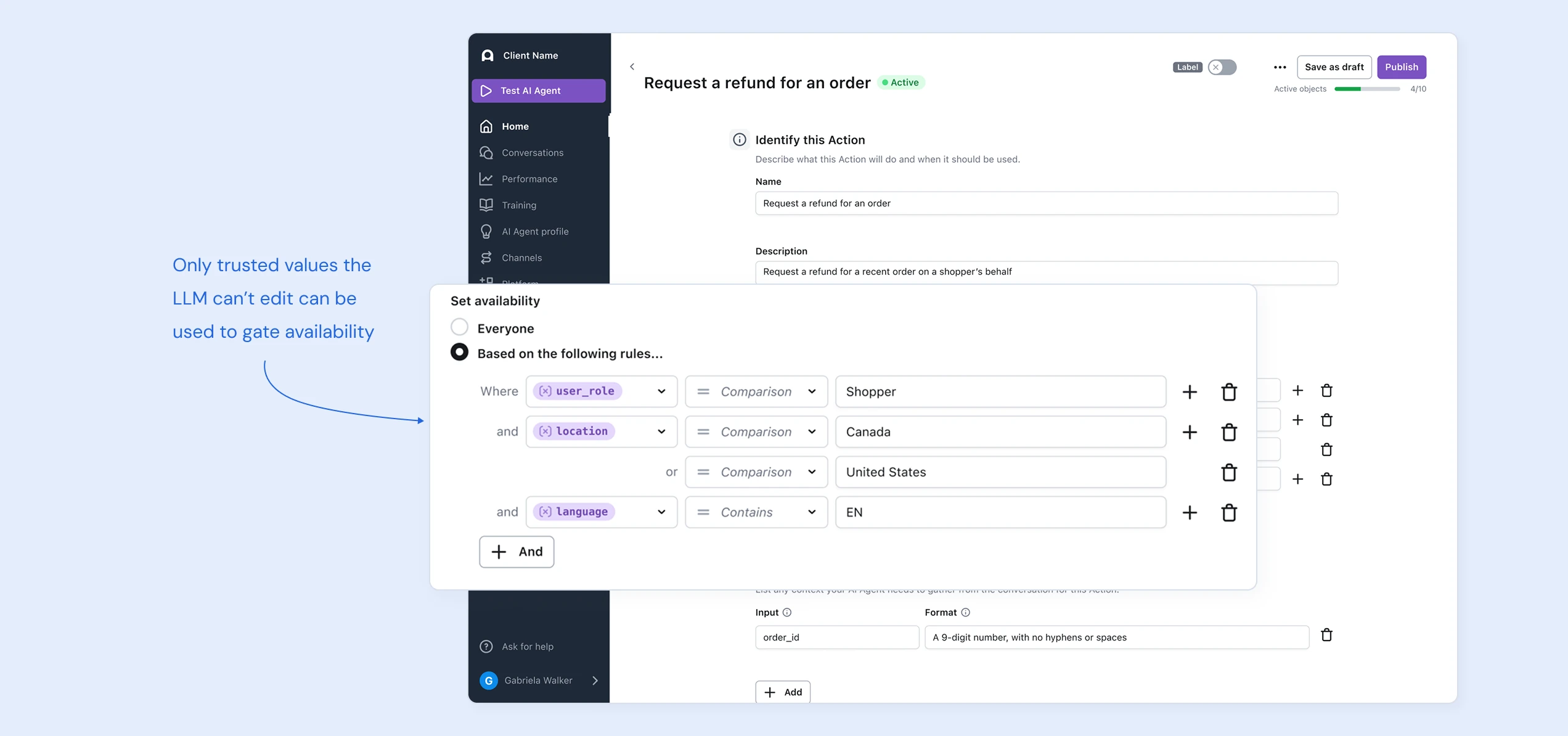
"Variables" as fill-in-the-blanks made sense for prebuilt flows. In a generative system, dynamic data becomes whole concepts an LLM can reason over. For this feature, we added the concept of "inferred data": the AI figures out how to find what it needs in the conversation, but this data can't be used within trusted guardrails like Rules.
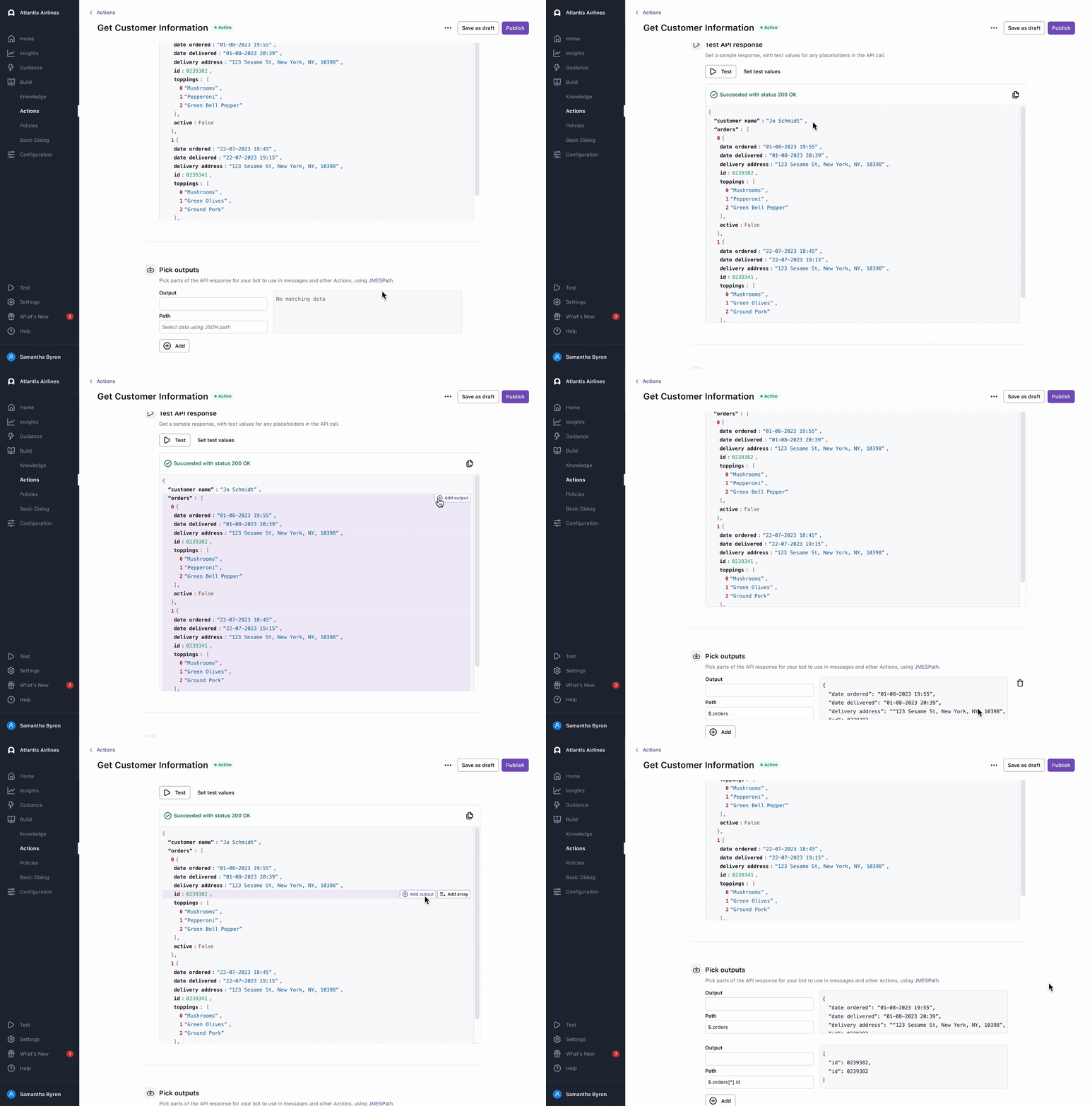
Ada's users were often non-technical. Inspired by Spotify's API docs, I designed an interaction where users test a real API call, then simply click the parts of the response the AI should see — no JMESPath syntax required.

See the full context, including my end-to-end process, trade-offs, and learnings.
Enter Password